Print-Ready Artwork Checklist: Bleed, Resolution, CMYK and PDFs
Print production starts with a file that matches the final product’s physical dimensions and finishing requirements. Small setup errors can result in trimmed text, fuzzy photos or colours that look different from your screen.
Why print-ready files matter
Print production starts with a file that matches the final product’s physical dimensions and finishing requirements. Small setup errors can result in trimmed text, fuzzy photos or colours that look different from your screen.
Set final size and bleed
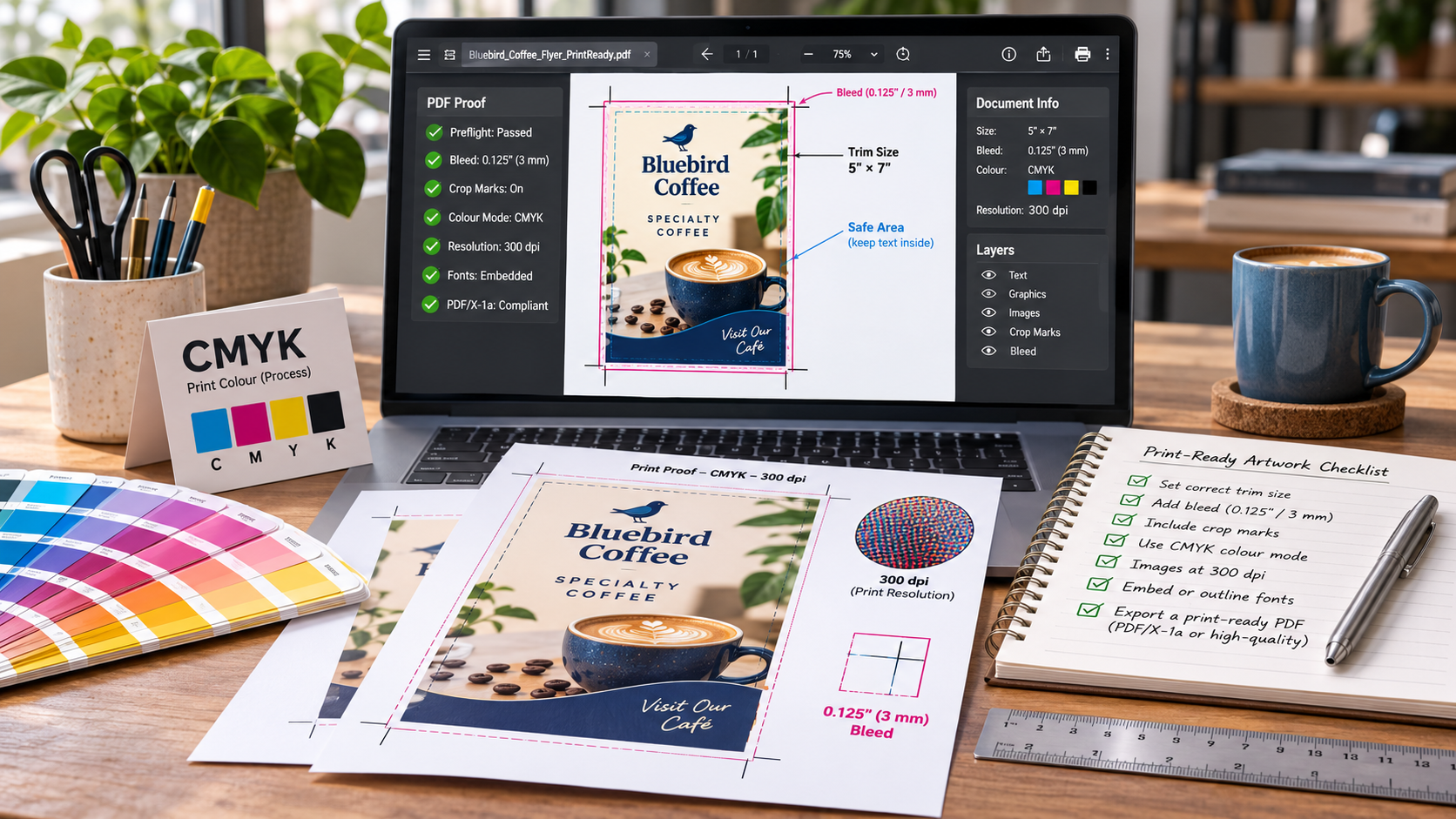
Create your design at the finished trim size and extend backgrounds or artwork beyond the trim area by the bleed amount specified by your printer. Keep important logos, text and QR codes inside a safe margin. The required bleed varies with the product and finishing process.
Use suitable image resolution
Images that look sharp on a phone may become pixelated when printed. For close-viewed commercial print products, approximately 300 ppi at final reproduction size is a useful starting point, although large-format products may have different requirements based on viewing distance.
Understand CMYK and colour
Commercial print often uses CMYK inks, whereas screens emit RGB light. Colour appearance can change between devices, paper stocks and printing processes. If colour accuracy is critical, discuss proofs and colour expectations before approving the job.
Export and double-check the PDF
Use a high-quality PDF export, embed fonts where possible, confirm page orientation and inspect every page at 100% zoom. Check spelling, phone numbers, links and QR codes. Submit the file with quantity, stock, size, finishing and deadline so the printer can review it efficiently.
Want help with artwork requirements and your project details? Explore our print project intake form, or contact Edge Business Printing to discuss your project.
Ready to plan your print project?
Send us your artwork, specifications, quantity and deadline. We'll discuss production options and provide a custom quote.